




The Most Expensive Breach Often Starts With One Email

ScamBuster for business helps teams detect phishing and scam risks directly inside Gmail, instantly.

Get ScamBuster for Business
What does Scambuster for Business include?

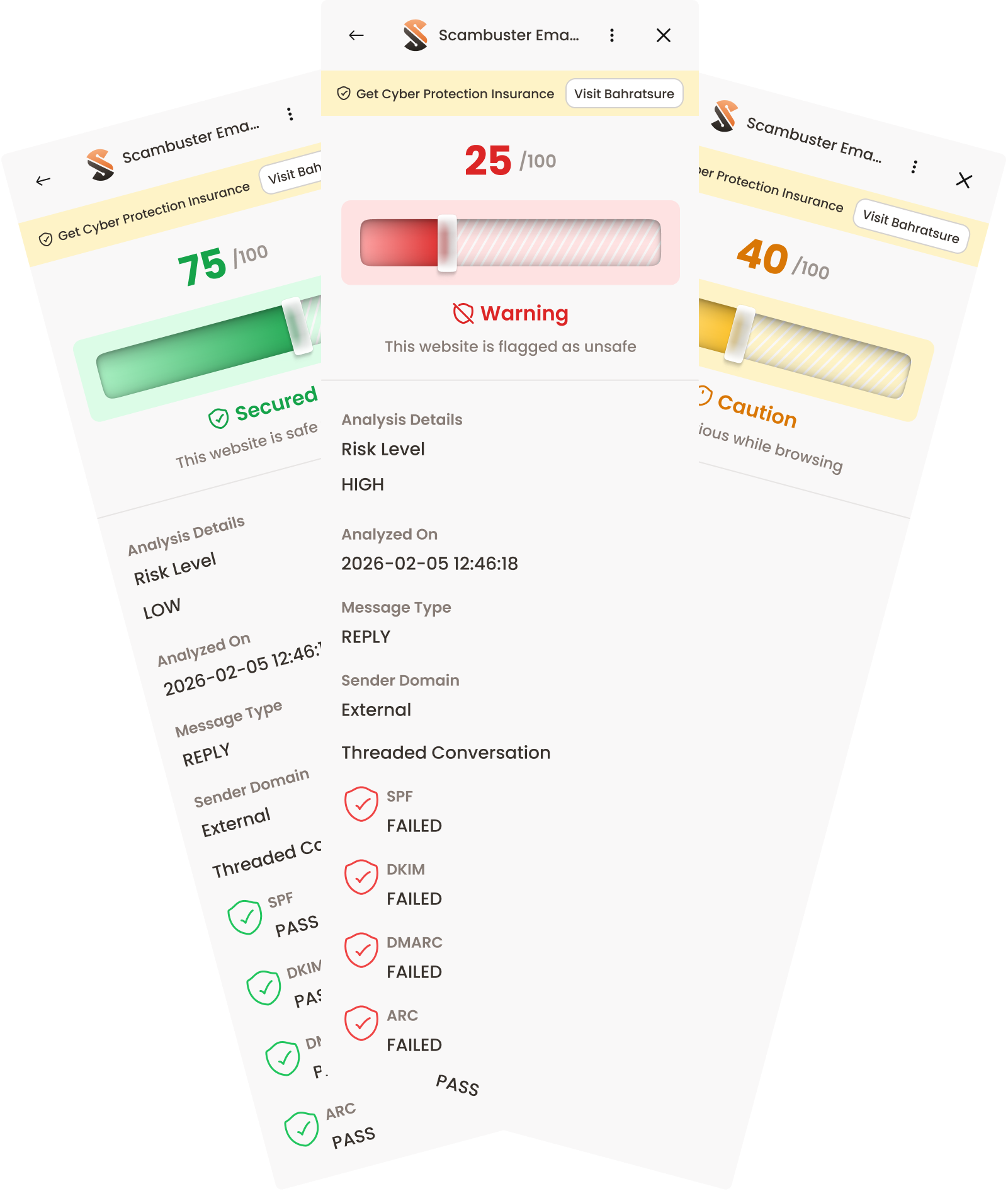
It includes a Gmail Scam detection add-on for businesses that adds an intelligent risk layer to everyday email communication. It helps teams identify phishing, impersonation, and email fraud before one email turns into financial or data loss.

Scam Detection, Built Directly Into Google Workplace for Business

How?

ScamBuster integrates seamlessly with Gmail. It analyzes emails using metadata only.

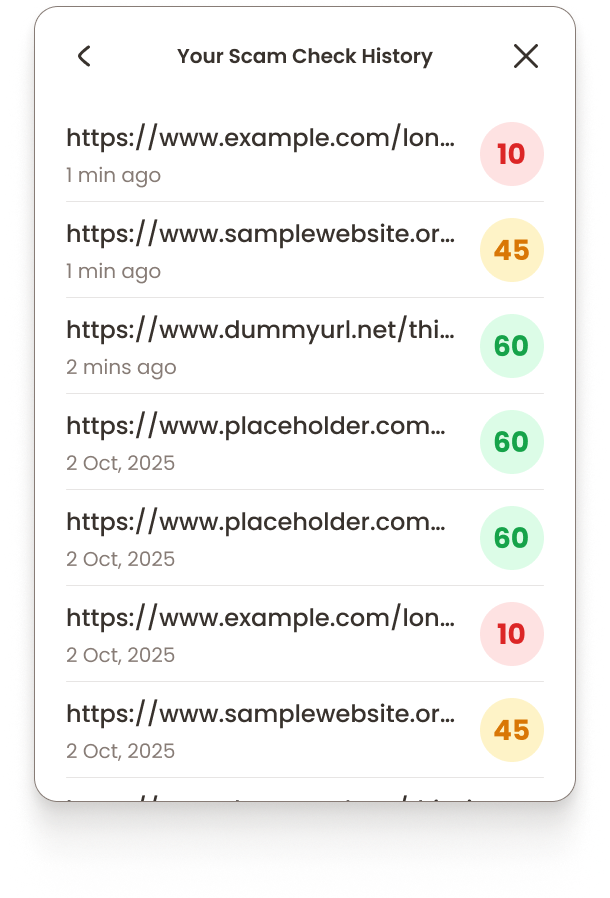
Every email is automatically scanned and clearly flagged inside Gmail, so teams can assess risk the moment an email arrives.

Clear Risk Signals Your Team Can Act On

Each email is marked with a simple visual indicator.

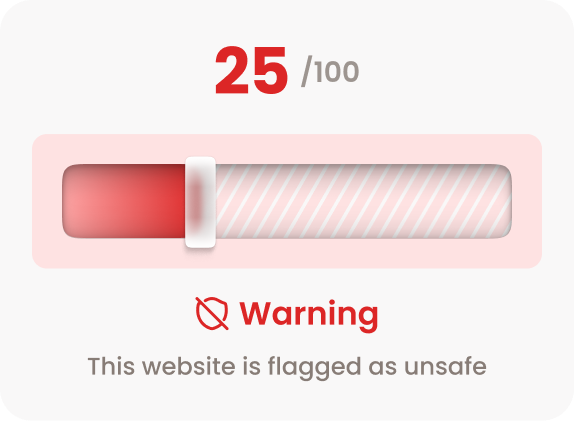
Scam Check score: 0–49

Red Flag — High Phishing Risk

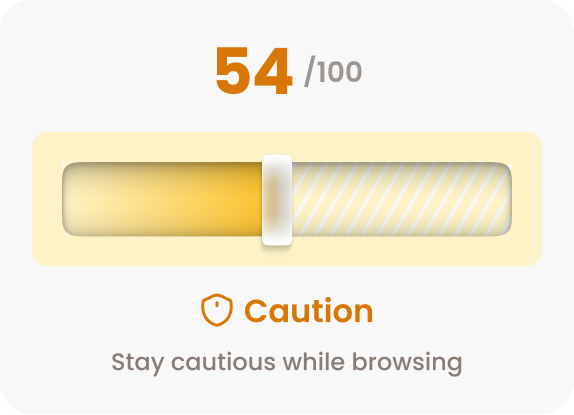
Scam Check score: 50–69

Orange Flag — Medium Phishing Risk

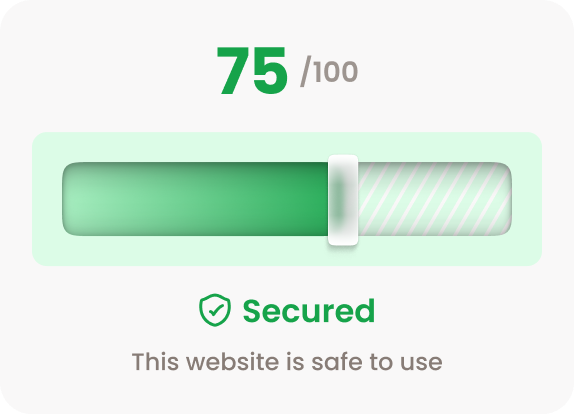
Scam Check score: 70–100

Green Flag — Safe

This red, orange and green flag system helps teams pause, verify, and decide safely.

Simple, Transparent Pricing

After the free trial, the subscription automatically converts to a paid plan unless cancelled.

Admins can manage or cancel their subscription at any time before the trial ends to avoid charges.

Get ScamBuster for Business

$1.99 per user/month

Auto-pay is enabled during onboarding.

1-month free trial

Why Are Email Scams Harder to Spot Today?

Scam emails don’t look like scams anymore.

Modern phishing attacks are designed to look like routine business communication and often bypass traditional spam filters.

Common threats businesses face include:

Phishing Emails

Emails in Gmail impersonating trusted vendors or colleagues

BEC

Business Email Compromise (BEC) attacks

Fake Scams

Fake invoices and payment redirection scams

Links

Malicious links disguised as legitimate URLs

When these emails blend into everyday workflows, even experienced teams can miss them.

All it takes is one click, one reply, or one payment.

Unlimited scam checks with the Chrome Extension

ScamBuster for Business also includes a Chrome extension with unlimited scam checks.

Teams can instantly verify suspicious websites, links, and domains before clicking or sharing.

This makes ScamBuster for business a complete scam detection solution, not just an email security product.

Email Protection for Everyday Business

ScamBuster for Business is a B2B phishing protection tool for Gmail, built for teams that rely on email every day. What teams get:

Real-time phishing and scam detection in Gmail

Clear red and orange risk alerts

Gmail add-on with seamless integration

Chrome extension with unlimited scam checks

No complex setup or training

No email content scanning

Protect Your Business Before It’s Too Late

The most expensive breach often starts with one email. Add ScamBuster to Gmail and give your team the ability to spot phishing, impersonation, and scam risks before they compromise your business.

1

GSubscribe

  • Enter Admin Email, Organization Name, and Domain
  • Start your 1-month free trial or paid plan
  • Complete payment

Your subscription is marked Active (Pending Setup).

2

Grant Google Workspace Permission (For Gmail Add-on)

After payment, the Admin receives an email with:

    • A unique Client ID
    • Simple step-by-step setup instructions

The Admin must grant the required permission in Google Admin Console. This is needed to activate the Gmail Add-on.

Activation can take up to 24 hours after permission is granted.

3

Gmail Add-on Goes Live

Once activated:

    • Emails are automatically scanned
    • Red, Orange, or Green risk flags appear inside Gmail
    • Monitoring begins for all active users in the domain

No training or technical setup required.

4

Browser Extension Setup

ScamBuster for Business also includes a Chrome Extension with unlimited scam checks.

How it works:

    • Users install the extension from theChrome Web Store
    • Log in using their company email
    • Access is automatically validatedbased on your domain subscription

Protect Your Gmail Inbox | Add ScamBuster for Business

Get ScamBuster for Business

Complete

Digital Protection

ScamBuster protects you from online threats in real time. Now, with built-in cyber insurance powered by Bharatsure, you are protected all in one place.

Buy Insurance

Mitt Arv Technologies Pte Limited:

Address:

160 Robinson Road, #14-04, Singapore Business Federation Center,

Singapore 068914

Mitt Arv Technologies Private Limited, India:

Registered Address:

1-8-55/1, S. No. 6, PG Road, Secunderabad, Hyderabad, Telangana, India, 500003

Corporate Address:

205 Ashoka Bhopal Chambers,

Sindhi Colony, Begumpet, Secunderabad, Hyderabad, Telangana, India, 500003

The Most Expensive Breach Often Starts

With One Email

ScamBuster for business helps teams detect phishing and scam risks directly inside Gmail, instantly.

Get ScamBuster for Business

What does Scambuster for Business include?

It includes a Gmail Scam detection add-on for businesses that adds an intelligent risk layer to everyday email communication. It helps teams identify phishing, impersonation, and email fraud before one email turns into financial or data loss.

Scam Detection, Built Directly Into Google Workplace for Business

How?

ScamBuster integrates seamlessly with Gmail. It analyzes emails using metadata only.

Every email is automatically scanned and clearly flagged inside Gmail, so teams can assess risk the moment an email arrives.
Clear Risk Signals Your

Team Can Act On

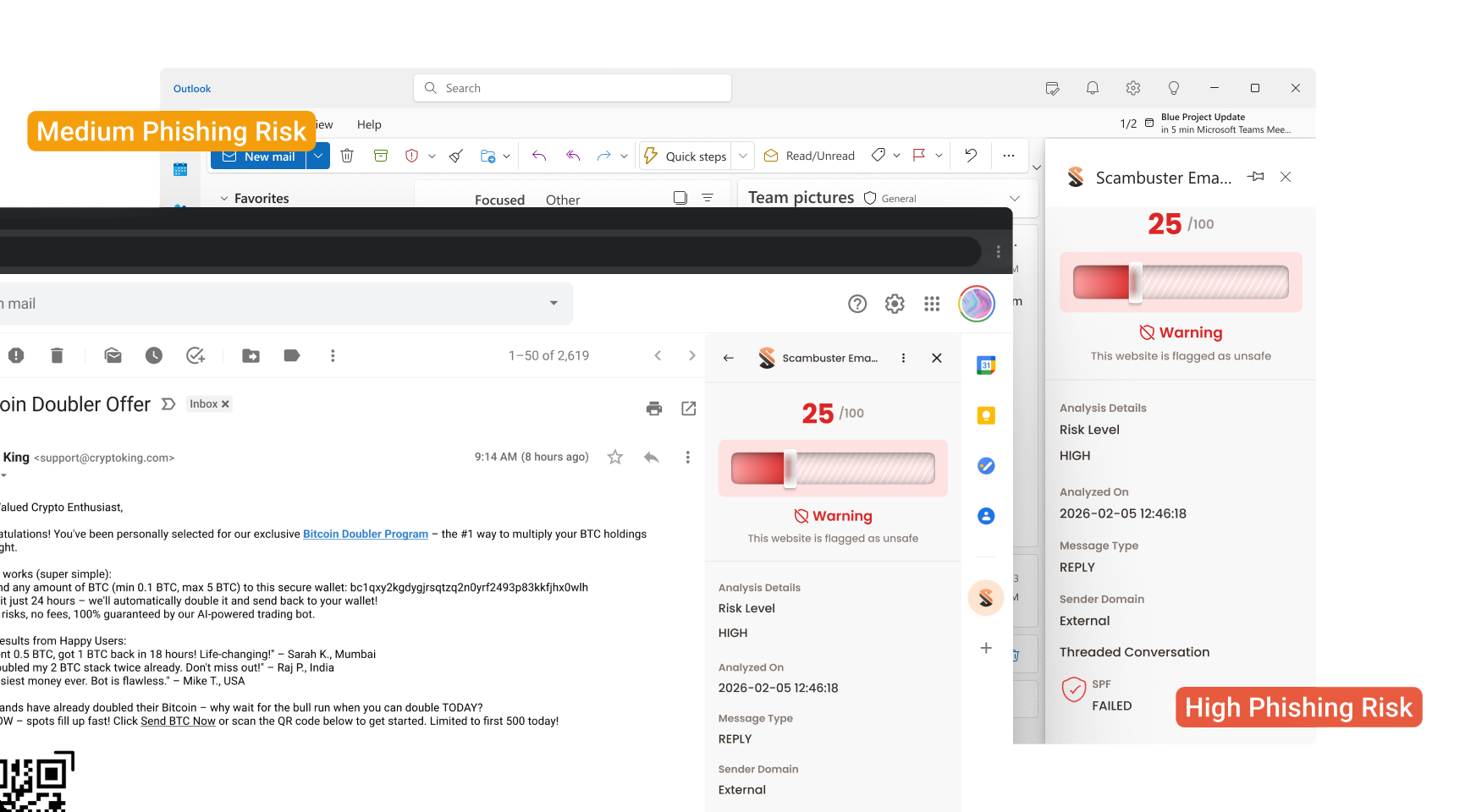
Each email is marked with a simple visual indicator.

Scam Check score: 0–49

Red Flag — High Phishing Risk

Scam Check score: 50–69

Orange Flag — Medium Phishing Risk

Scam Check score: 70–100

Green Flag — Safe

This red, orange and green flag system helps teams pause, verify, and decide safely.

Simple,

Transparent

Pricing

After the free trial, the subscription automatically converts to a paid plan unless cancelled.

Admins can manage or cancel their subscription at any time before the trial ends to avoid charges.

Get ScamBuster for Business

$1.99 per user/month

Auto-pay is enabled during onboarding.

1-month free trial

Why Are Email

Scams Harder to

Spot Today?

Scam emails don’t look like scams anymore.

Modern phishing attacks are designed to look like routine business communication and often bypass traditional spam filters.

Common threats businesses face include:

Phishing Emails

Emails in Gmail impersonating trusted vendors or colleagues

BEC

Business Email Compromise (BEC) attacks

Fake Scams

Fake invoices and payment redirection scams

Links

Malicious links disguised as legitimate URLs

When these emails blend into everyday workflows, even experienced teams can miss them.

All it takes is one click, one reply, or one payment.

Unlimited scam checks with Chrome Extension

ScamBuster for Business also includes a Chrome extension with unlimited scam checks.

Teams can instantly verify suspicious websites, links, and domains before clicking or sharing.

This makes ScamBuster for business a complete scam detection solution, not just an email security product.

Email Protection for

Everyday Business

ScamBuster for Business is a B2B phishing protection tool for Gmail, built for teams that rely on email every day. What teams get:

Real-time phishing and scam detection in Gmail

Clear red and orange risk alerts

Gmail add-on with seamless integration

Chrome extension with unlimited scam checks

No complex setup or training

No email content scanning

Protect Your Business Before It’s Too Late

The most expensive breach often starts with one email. Add ScamBuster to Gmail and give your team the ability to spot phishing, impersonation, and scam risks before they compromise your business.

1

GSubscribe

  • Enter Admin Email, Organization Name, and Domain
  • Start your 1-month free trial or paid plan
  • Complete payment

Your subscription is marked Active (Pending Setup).

2

Grant Google Workspace Permission (For Gmail Add-on)

After payment, the Admin receives an email with:

    • A unique Client ID
    • Simple step-by-step setup instructions

The Admin must grant the required permission in Google Admin Console. This is needed to activate the Gmail Add-on.

Activation can take up to 24 hours after permission is granted.

3

Gmail Add-on Goes Live

Once activated:

    • Emails are automatically scanned
    • Red, Orange, or Green risk flags appear inside Gmail
    • Monitoring begins for all active users in the domain

No training or technical setup required.

4

Browser Extension Setup

ScamBuster for Business also includes a Chrome Extension with unlimited scam checks.

How it works:

    • Users install the extension from the Chrome Web Store
    • Log in using their company email
    • Access is automatically validated based on your domain subscription

 Protect Your Gmail Inbox | Add ScamBuster for Business

Get ScamBuster for Business

Complete

Digital Protection

ScamBuster protects you from online threats in real time. Now, with built-in cyber insurance powered by Bharatsure, you are protected all in one place.

Buy Insurance

Mitt Arv Technologies Pte Limited:

Address:

160 Robinson Road, #14-04, Singapore Business Federation Center,

Singapore 068914

Mitt Arv Technologies Private Limited, India:

Registered Address:

1-8-55/1, S. No. 6, PG Road, Secunderabad, Hyderabad, Telangana, India, 500003

Corporate Address:

205 Ashoka Bhopal Chambers,

Sindhi Colony, Begumpet, Secunderabad, Hyderabad, Telangana, India, 500003

The Most Expensive Breach Often Starts

With One Email

ScamBuster for business helps teams detect phishing and scam risks directly inside Gmail, instantly.

Get ScamBuster for Business

What does Scambuster for Business include?

It includes a Gmail Scam detection add-on for businesses that adds an intelligent risk layer to everyday email communication. It helps teams identify phishing, impersonation, and email fraud before one email turns into financial or data loss.

Scam Detection, Built Directly Into Google Workplace for Business

How?

ScamBuster integrates seamlessly with Gmail. It analyzes emails using metadata only.

Every email is automatically scanned and clearly flagged inside Gmail, so teams can assess risk the moment an email arrives.

Clear Risk Signals Your

Team Can Act On

Each email is marked with a simple visual indicator.

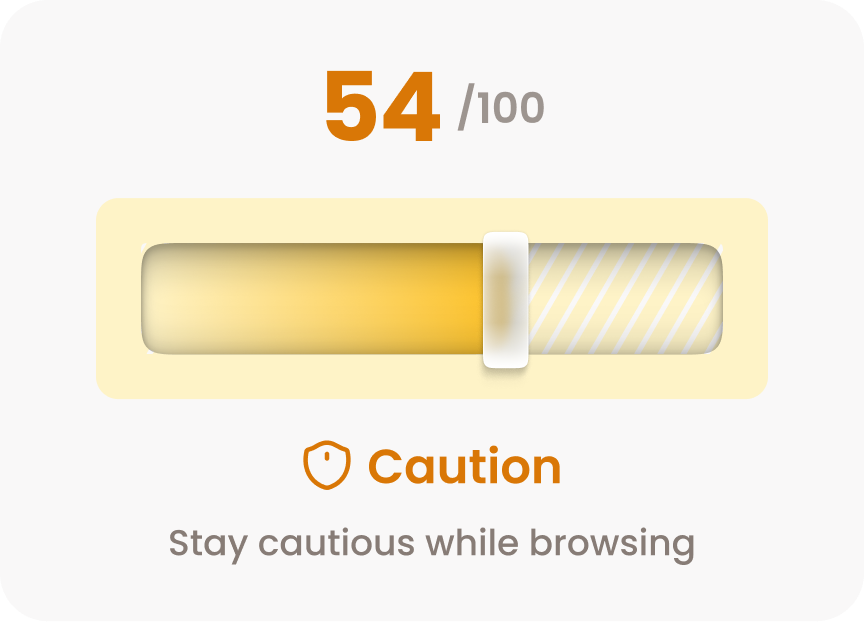
Scam Check score: 50–69

Orange Flag — Medium Phishing Risk
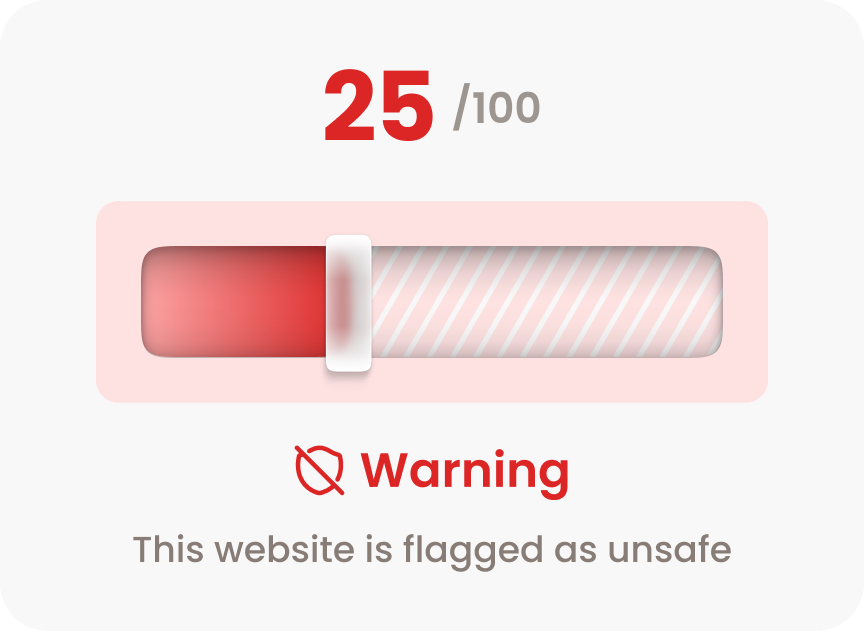
Scam Check score: 0–49

Red Flag — High Phishing Risk
Scam Check score: 70–100

Green Flag — Safe
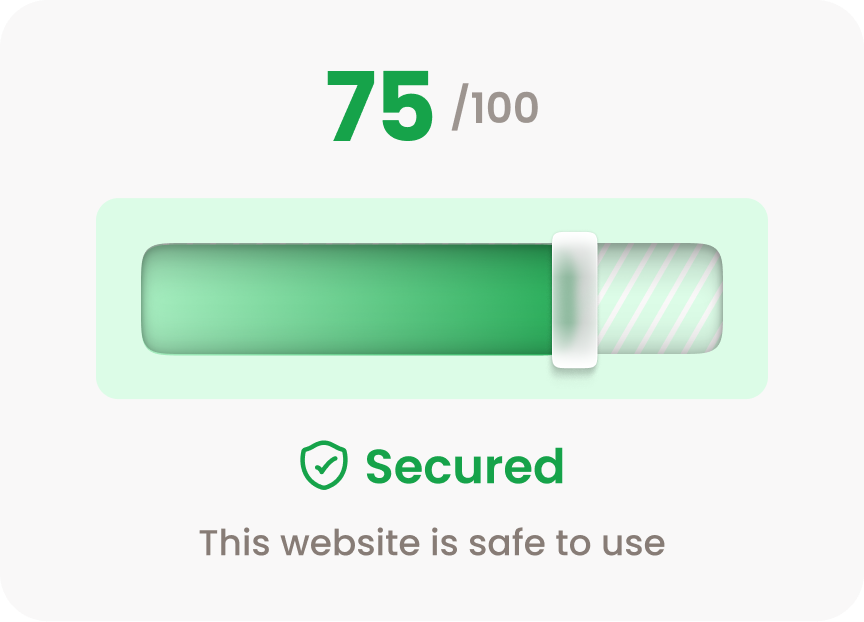
This red, orange and green flag system helps teams pause, verify, and decide safely.

Simple, Transparent Pricing

After the free trial, the subscription automatically converts to a paid plan unless cancelled.

Admins can manage or cancel their subscription at any time before the trial ends to avoid charges.

Get ScamBuster for Business

$1.99 per user/month

Auto-pay is enabled during onboarding.

1-month free trial

Why Are Email Scams Harder to Spot Today?

Scam emails don’t look like scams anymore.

Modern phishing attacks are designed to look like routine business communication and often bypass traditional spam filters.

Common threats businesses face include:

Phishing Emails

Emails in Gmail impersonating trusted vendors or colleagues

BEC

Business Email Compromise (BEC) attacks

Fake Scams

Fake invoices and payment redirection scams

Links

Malicious links disguised as legitimate URLs

When these emails blend into everyday workflows, even experienced teams can miss them.

All it takes is one click, one reply, or one payment.

Unlimited scam checks with Chrome Extension

ScamBuster for Business also includes a Chrome extension with unlimited scam checks.
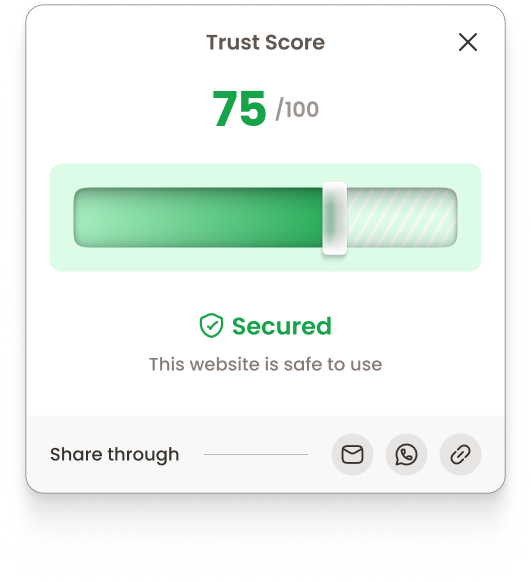
Teams can instantly verify suspicious websites, links, and domains before clicking or sharing.
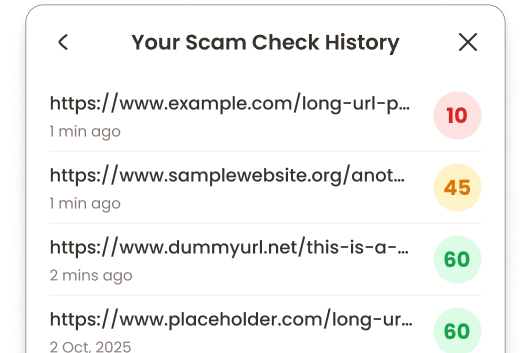
This makes ScamBuster for business a complete scam detection solution, not just an email security product.

Email Protection for

Everyday Business

ScamBuster for Business is a B2B phishing protection tool for Gmail, built for teams that rely on email every day. What teams get:

Real-time phishing and scam detection in Gmail

Clear red and orange risk alerts

Gmail add-on with seamless integration

Chrome extension with unlimited scam checks

No complex setup or training

No email content scanning

Protect Your Business Before It’s Too Late

The most expensive breach often starts with one email. Add ScamBuster to Gmail and give your team the ability to spot phishing, impersonation, and scam risks before they compromise your business.

1

GSubscribe

  • Enter Admin Email, Organization Name, and Domain
  • Start your 1-month free trial or paid plan
  • Complete payment

Your subscription is marked Active (Pending Setup).

2

Grant Google Workspace Permission (For Gmail Add-on)

After payment, the Admin receives an email with:

    • A unique Client ID
    • Simple step-by-step setup instructions

The Admin must grant the required permission in Google Admin Console. This is needed to activate the Gmail Add-on.

Activation can take up to 24 hours after permission is granted.

3

Gmail Add-on Goes Live

Once activated:

    • Emails are automatically scanned
    • Red, Orange, or Green risk flags appearinside Gmail
    • Monitoring begins for all active users inthe domain

No training or technical setup required.

4

Browser Extension Setup

ScamBuster for Business also includes a Chrome Extension with unlimited scam checks.

How it works:

    • Users install the extension from theChrome Web Store
    • Log in using their company email
    • Access is automatically validatedbased on your domain subscription

 Protect Your Gmail Inbox | Add ScamBuster for Business

Get ScamBuster for Business

Complete

Digital Protection

ScamBuster protects you from online threats in real time. Now, with built-in cyber insurance powered by Bharatsure, you are protected all in one place.

Buy Insurance

Mitt Arv Technologies Pte Limited:

Address:

160 Robinson Road, #14-04, Singapore Business Federation Center,

Singapore 068914

Mitt Arv Technologies Private Limited, India:

Registered Address:

1-8-55/1, S. No. 6, PG Road, Secunderabad, Hyderabad, Telangana, India, 500003

Corporate Address:

205 Ashoka Bhopal Chambers,

Sindhi Colony, Begumpet, Secunderabad, Hyderabad, Telangana, India, 500003