



Scams are inevitable.

But falling for one

doesn’t have to be.

All it takes is the right way to verify.

That’s where ScamBuster comes in.

ScamBuster is an online scam detection app that verifies and alerts you about your suspicious content before you click or respond.

Why should you use ScamBuster?

ScamBuster App helps you check what you are about to trust. It helps you:

1

Verify suspicious URLs

2

Detect phishing links and fake websites

3

Scans images for scam-related content

4

Identify risks before you take action

Download the Scambuster App

Get clarity before mistakes turn into damage.

How Exactly Does Scambuster Keep You Protected?

ScamBuster offers multiple features to help verify and keep you updated about any and all scams online. Getting started is simple.

Download the Scambuster App from the App Store or Google Play Store. Once installed, open the app and log in using your Google account.

12:40

After logging in, you can choose the language for the app which you are most comfortable with, either English, Hindi, or Tamil.

Once inside the app, you will land on the homepage. On the dashboard at the bottom of the screen, you’ll see the Scam Check option.

This is where protection begins.

Scam Check

Built using real user reports and AI-driven detection, ScamBuster’s scam check tools help you identify digital frauds.

Message Check

Received a message that seems off? Paste it into the app to find out if they’re genuine or not.

Link Check

Paste any website links or URLs to check website safety. ScamBuster App’s scam site checker instantly sees if it’s safe to open.

Image Check

Scams aren’t always text based. Upload screenshots or images for our AI engine to check for phishing and potential scams.

You can run upto 5 scam checks without signing in, so you can verify instantly when something feels off.

For Consumer

Your Personal Shield Against Online Scams

Avoid scams before they reach you. Verify suspicious links, websites, and emails instantly while browsing, shopping, and interacting online.

For Businesses

Protect Your Entire Team from Email Scams

Add a security layer to your organization’s Gmail. Detect phishing, impersonation, and email fraud before they reach your team.

Scam Feed

Explore scam stories posted by other users as well! The Scam Feed lets you explore real scam stories shared by other users.

Inside the app, you can browse recent incidents, understand how the scams worked, and learn the warning signs to watch out for.

By staying up to date about the newest scam trends, patterns, and tactics, you become better prepared to recognise them early.

Scam Stories

Seen a scam happen recently? 

With Scam Story, you can share your experiences and knowledge directly through the app to help protect others.

Simply write and explain what the scam is and how it happens, in any language of your choice, and post it under your username or alias so your identity stays anonymous.

Support Beyond Detection

If ever affected by a digital crime, ScamBuster App provides you with a direct link to official police cybercrime reporting portals, helping you take the right action quickly.

Disclaimer:

Scambuster does not lodge complaints on behalf of users and is not affiliated with, endorsed by, or acting on behalf of any law enforcement or governmental authority.

All complaints are submitted directly by the user to the Cyber Crime authorities and are governed exclusively by their applicable terms, policies, and procedures. Scambuster neither controls nor participates in the receipt, processing, investigation, or adjudication of such complaints and assumes no responsibility or liability for the status, handling, or outcome of any report made through the external portal.

Stay One Step Ahead

Before you click, reply, or share, make sure it’s safe with ScamBuster.

Download ScamBuster App today. Your safety is just a check away.

Complete

Digital Protection

ScamBuster protects you from online threats in real time. Now, with built-in cyber insurance powered by Bharatsure, you are protected all in one place.

Buy Insurance

Mitt Arv Technologies Pte Limited:

Address:

160 Robinson Road, #14-04, Singapore Business Federation Center,

Singapore 068914

Mitt Arv Technologies Private Limited, India:

Registered Address:

1-8-55/1, S. No. 6, PG Road, Secunderabad, Hyderabad, Telangana, India, 500003

Corporate Address:

205 Ashoka Bhopal Chambers,

Sindhi Colony, Begumpet, Secunderabad, Hyderabad, Telangana, India, 500003

Scams are inevitable.

But falling for one

doesn’t have to be.

All it takes is the right way to verify.
That’s where ScamBuster comes in.

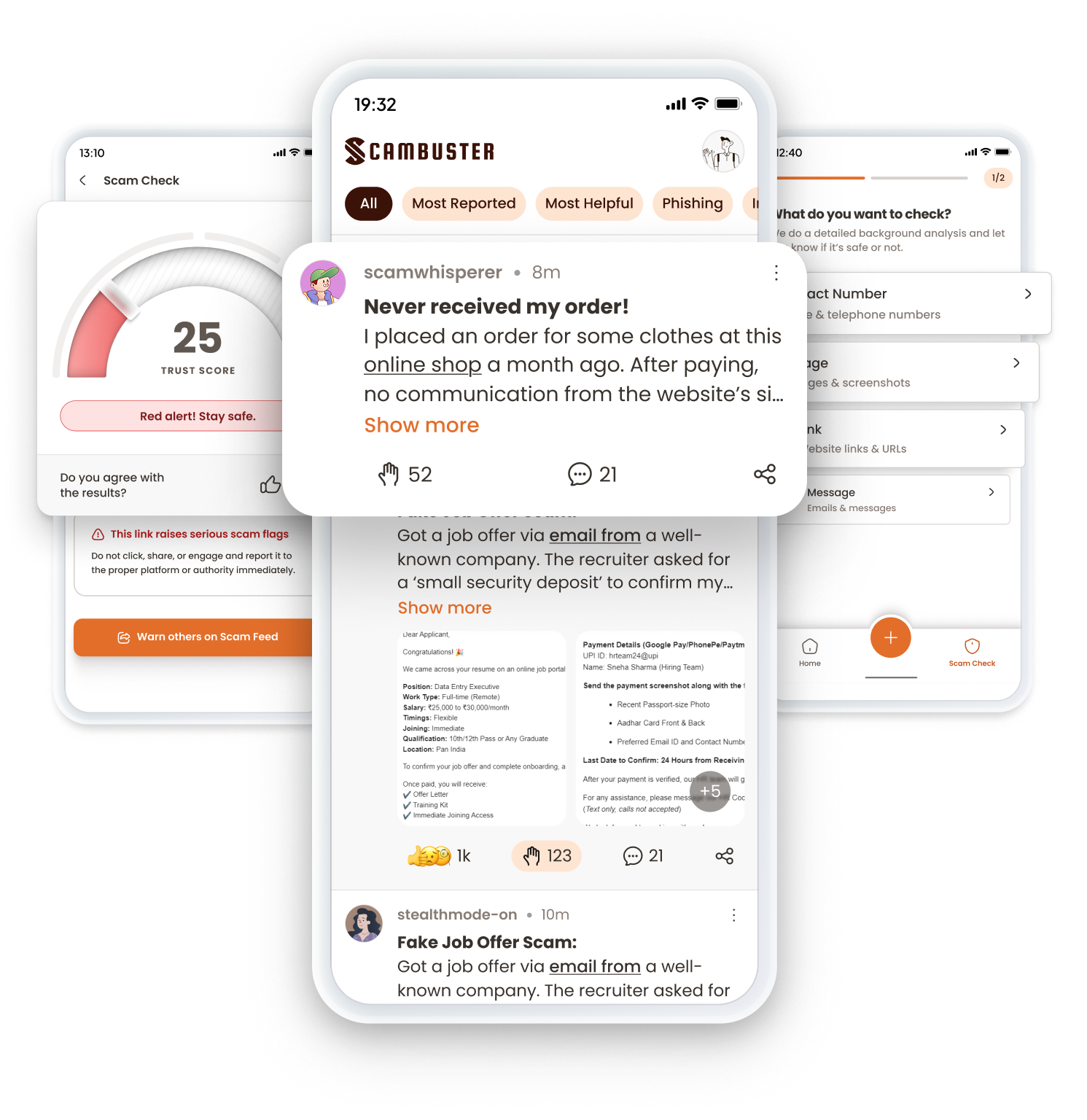
ScamBuster is an online scam detection app that verifies and alerts you about your suspicious content before you click or respond.

Why should you use ScamBuster?

ScamBuster App helps you check what you are about to trust. It helps you:

1

Verify suspicious URLs

2

Detect phishing links and fake websites

3

Scans images for scam-related content

4

Identify risks before you take action

Download the Scambuster App

Get clarity before mistakes turn into damage.

How Exactly Does Scambuster Keep You Protected?

ScamBuster offers multiple features to help verify and keep you updated about any and all scams online

Getting started is simple.

Download the Scambuster App from the App Store or Google Play Store. Once installed, open the app and log in using your Google account.

12:40

After logging in, you can choose the language for the app which you are most comfortable with, either English, Hindi, or Tamil.

Once inside the app, you will land on the homepage. On the dashboard at the bottom of the screen, you’ll see the Scam Check option.

This is where protection begins.

Scam Check

Built using real user reports and AI-driven detection, ScamBuster’s scam check tools help you identify digital frauds.

Message Check

Received a message that seems off? Paste it into the app to find out if they’re genuine or not.

Link Check

Paste any website links or URLs to check website safety. ScamBuster App’s scam site checker instantly sees if it’s safe to open.

Image Check

Scams aren’t always text based. Upload screenshots or images for our AI engine to check for phishing and potential scams.

You can run upto 5 scam checks without signing in, so you can verify instantly when something feels off.

For Consumer

Your Personal Shield Against Online Scams

Avoid scams before they reach you. Verify suspicious links, websites, and emails instantly while browsing, shopping, and interacting online.

For Businesses

Protect Your Entire Team from Email Scams

Add a security layer to your organization’s Gmail. Detect phishing, impersonation, and email fraud before they reach your team.

Scam Feed

Explore scam stories posted by other users as well! The Scam Feed lets you explore real scam stories shared by other users.

Inside the app, you can browse recent incidents, understand how the scams worked, and learn the warning signs to watch out for.

By staying up to date about the newest scam trends, patterns, and tactics, you become better prepared to recognise them early.

Scam Stories

Seen a scam happen recently? 

With Scam Story, you can share your experiences and knowledge directly through the app to help protect others.

Simply write and explain what the scam is and how it happens, in any language of your choice, and post it under your username or alias so your identity stays anonymous.

Support Beyond Detection

If ever affected by a digital crime, ScamBuster App provides you with a direct link to official police cybercrime reporting portals, helping you take the right action quickly.

Disclaimer:

Scambuster does not lodge complaints on behalf of users and is not affiliated with, endorsed by, or acting on behalf of any law enforcement or governmental authority.

All complaints are submitted directly by the user to the Cyber Crime authorities and are governed exclusively by their applicable terms, policies, and procedures. Scambuster neither controls nor participates in the receipt, processing, investigation, or adjudication of such complaints and assumes no responsibility or liability for the status, handling, or outcome of any report made through the external portal.

Stay One Step Ahead

Before you click, reply, or share, make sure it’s safe with ScamBuster.

Download ScamBuster App today. Your safety is just a check away.

Complete

Digital Protection

ScamBuster protects you from online threats in real time. Now, with built-in cyber insurance powered by Bharatsure, you are protected all in one place.

Buy Insurance

Mitt Arv Technologies Pte Limited:

Address:

160 Robinson Road, #14-04, Singapore Business Federation Center,

Singapore 068914

Mitt Arv Technologies Private Limited, India:

Registered Address:

1-8-55/1, S. No. 6, PG Road, Secunderabad, Hyderabad, Telangana, India, 500003

Corporate Address:

205 Ashoka Bhopal Chambers,

Sindhi Colony, Begumpet, Secunderabad, Hyderabad, Telangana, India, 500003

Scams are inevitable.

But falling for one

doesn’t have to be.

All it takes is the right way to verify.

That’s where ScamBuster comes in.

ScamBuster is an online scam detection app that verifies and alerts you about your suspicious content before you click or respond.

Why should you use ScamBuster?

ScamBuster App helps you check what you are about to trust. It helps you:

1

Verify suspicious URLs

2

Detect phishing links and fake websites

3

Scan images for scam-related content

4

Identify risks before you take action
Download the Scambuster App

Get clarity before mistakes turn into damage.

How Exactly Does Scambuster Keep You Protected?

ScamBuster offers multiple features to help verify and keep you updated about any and all scams online

Getting started is simple.

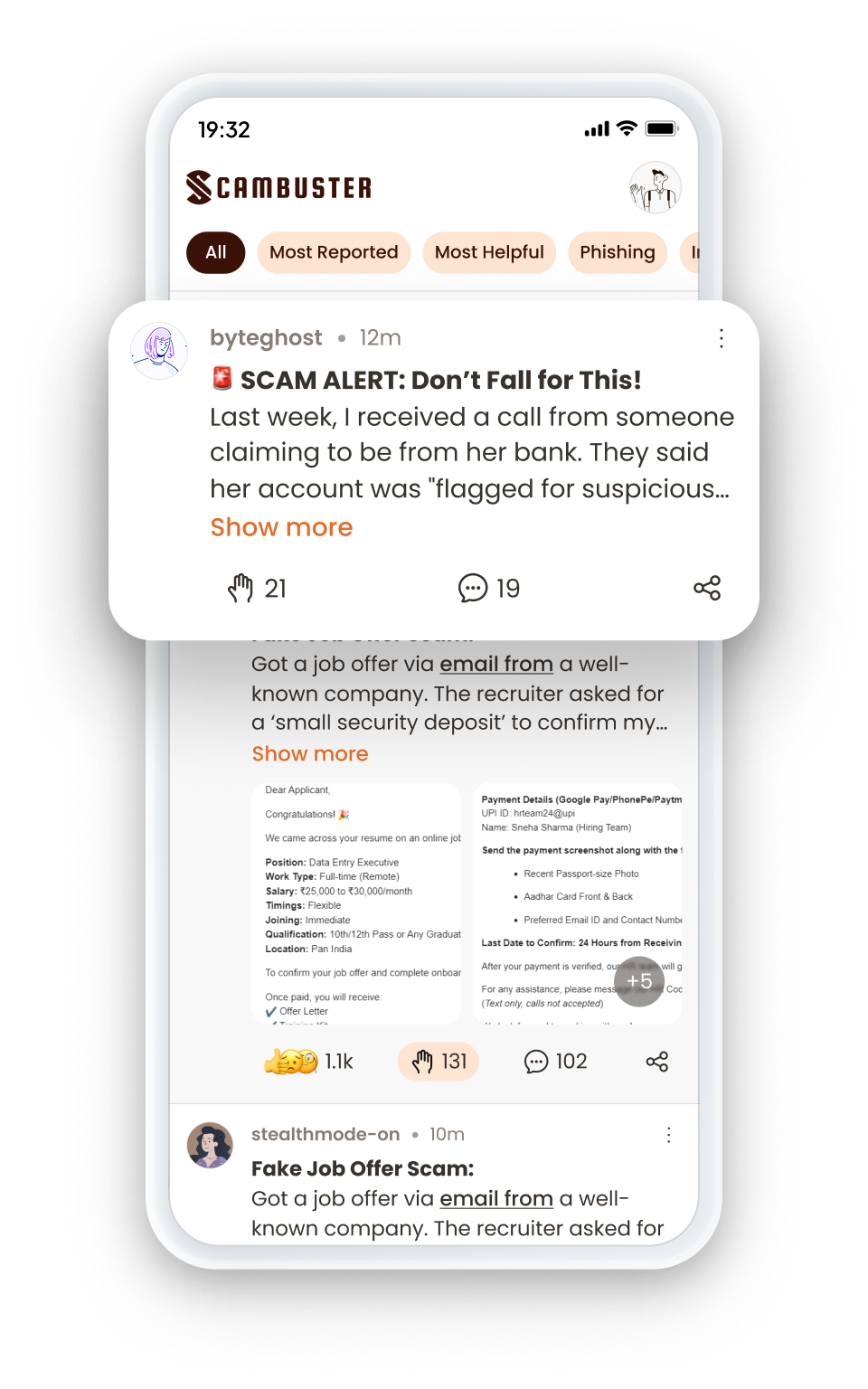
Download the Scambuster App from the App Store or Google Play Store. Once installed, open the app and log in using your Google account.
12:40

After logging in, you can choose the language for the app which you are most comfortable with, either English, Hindi, or Tamil.
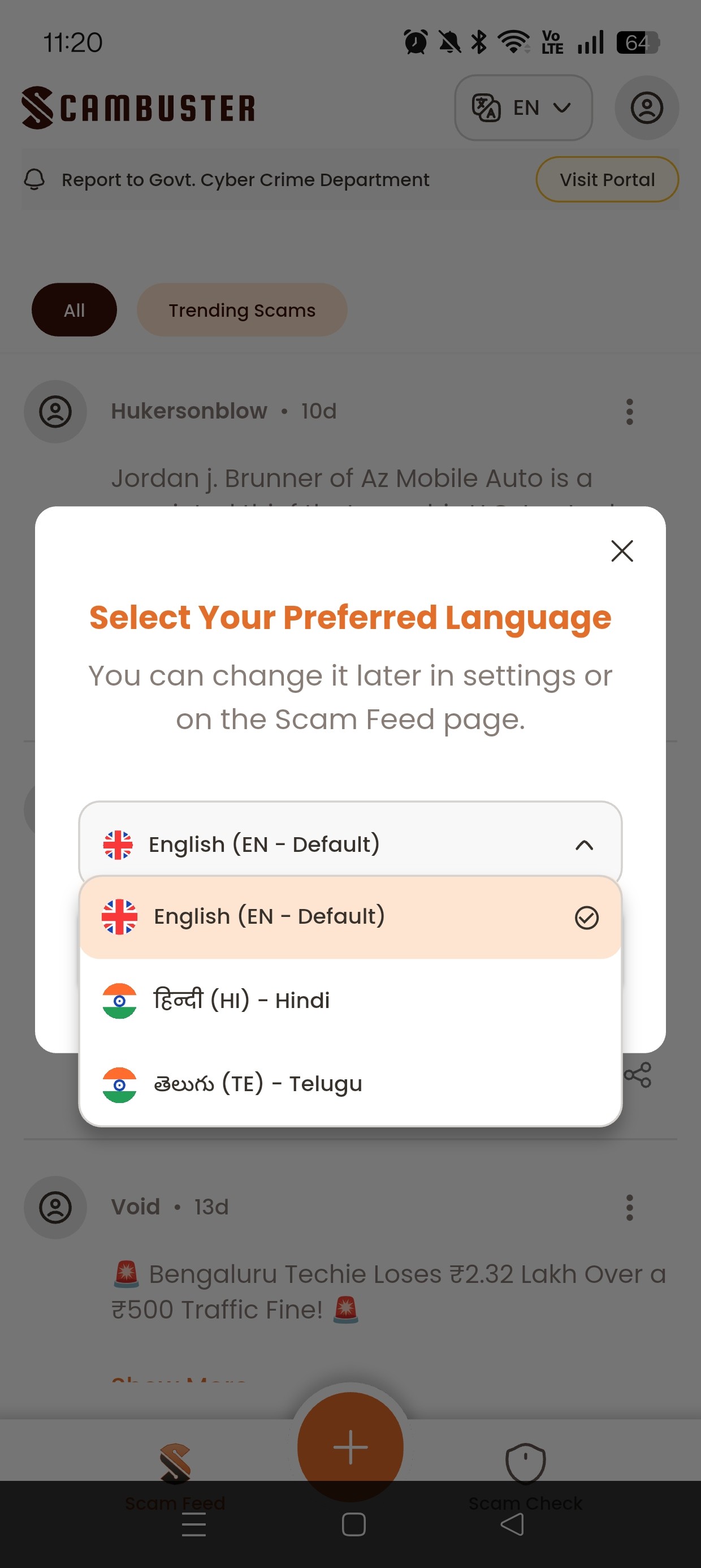
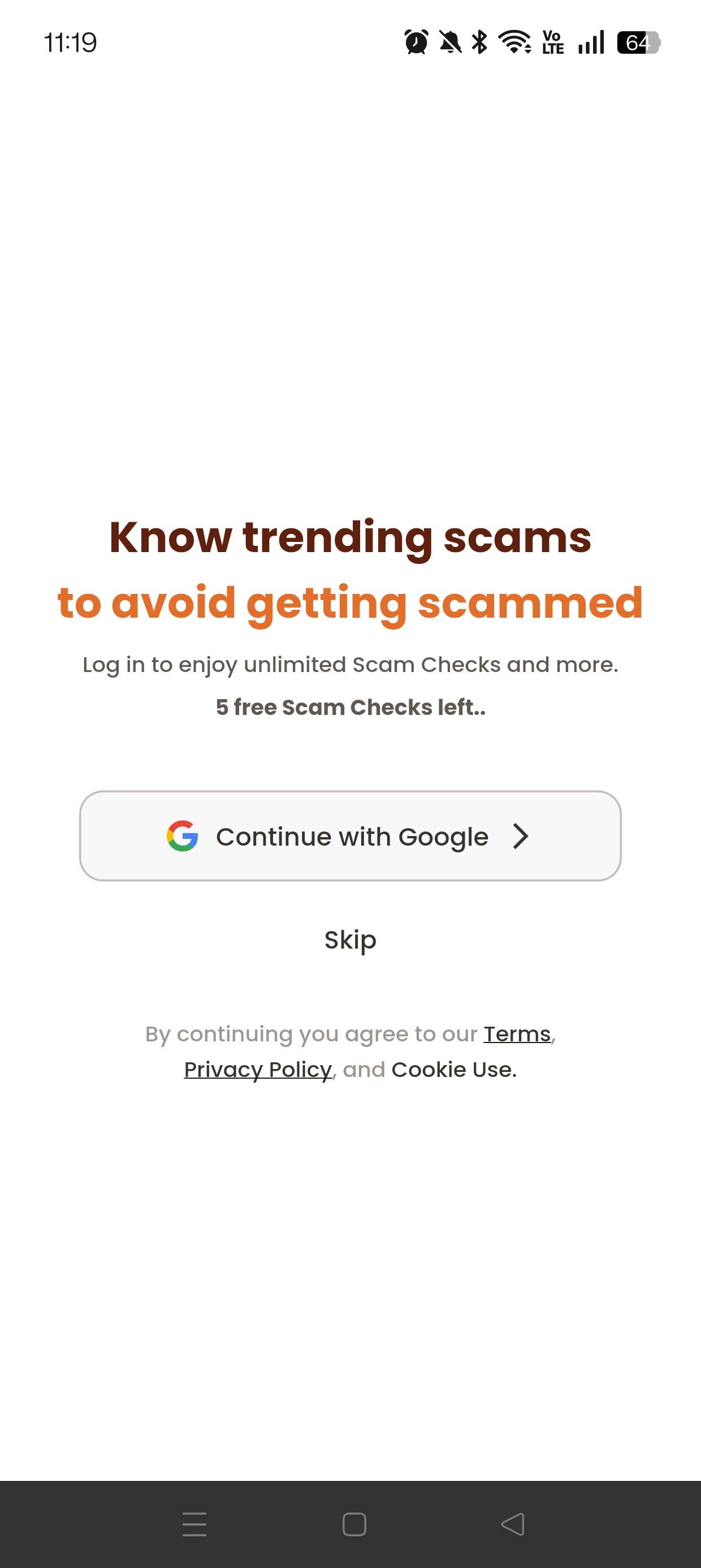
Once inside the app, you will land on the homepage. On the dashboard at the bottom of the screen, you’ll see the Scam Check option.

This is where protection begins.
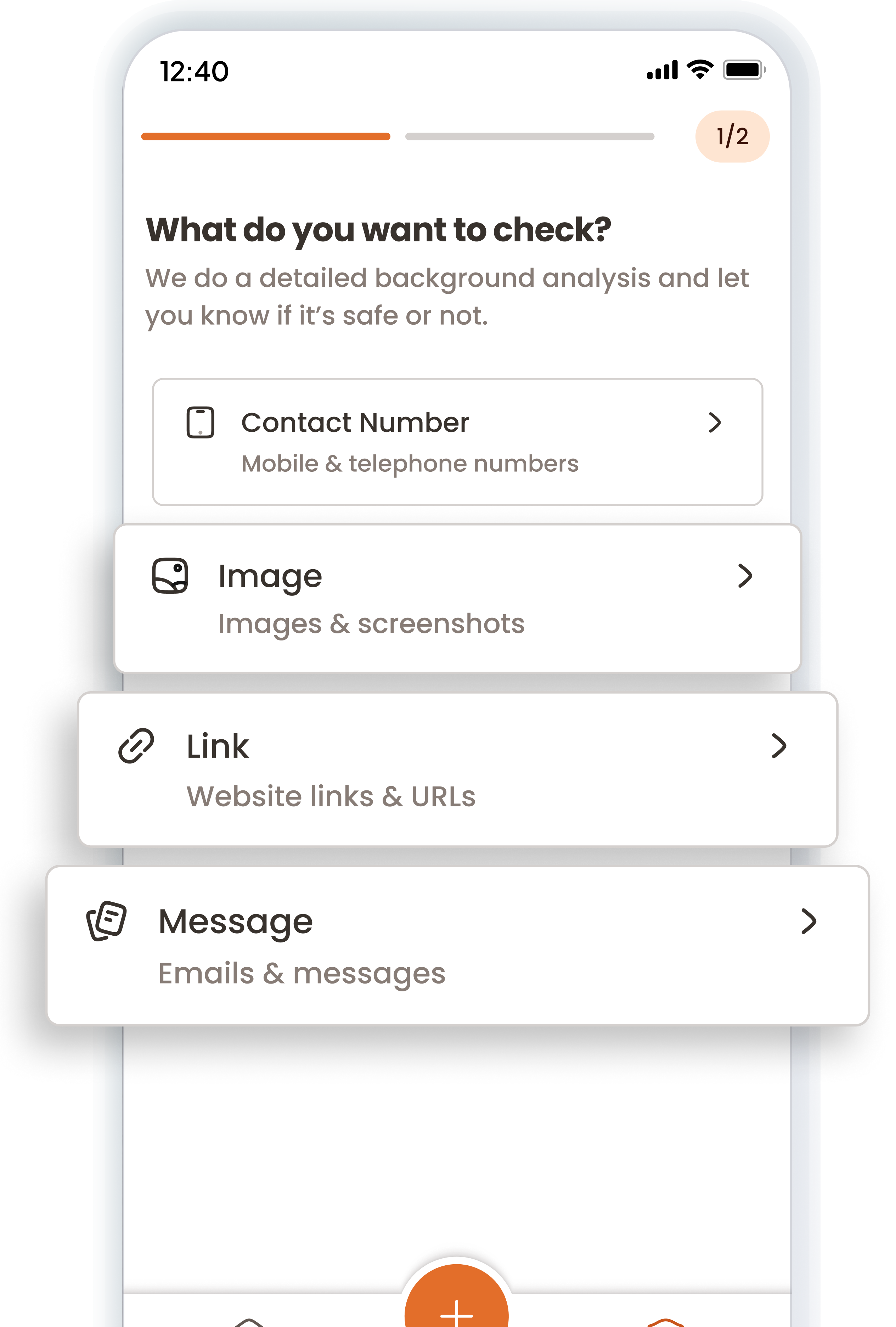
Scam Check

Built using real user reports and AI-driven detection, ScamBuster’s scam check tools help you identify digital frauds.

Message Check

Received a message that seems off? Paste it into the app to find out if they’re genuine or not.

Link Check

Paste any website links or URLs to check website safety. ScamBuster App’s scam site checker instantly sees if it’s safe to open.

Image Check

Scams aren’t always text based. Upload screenshots or images for our AI engine to check for phishing and potential scams.

You can run upto 5 scam checks without signing in, so you can verify instantly when something feels off.

Scam Feed

Explore scam stories posted by other users as well! The Scam Feed lets you explore real scam stories shared by other users.

Inside the app, you can browse recent incidents, understand how the scams worked, and learn the warning signs to watch out for.

By staying up to date about the newest scam trends, patterns, and tactics, you become better prepared to recognise them early.
Scam Stories

Seen a scam happen recently? 

With Scam Story, you can share your experiences and knowledge directly through the app to help protect others.

Simply write and explain what the scam is and how it happens, in any language of your choice, and post it under your username or alias so your identity stays anonymous.

For Consumer

Your Personal Shield Against Online Scams

Avoid scams before they reach you. Verify suspicious links, websites, and emails instantly while browsing, shopping, and interacting online.

For Businesses

Protect Your Entire Team from Email Scams

Add a security layer to your organization’s Gmail.Detect phishing, impersonation, and email fraud before they reach your team.

Support Beyond Detection

If ever affected by a digital crime, ScamBuster App provides you with a direct link to official police cybercrime reporting portals, helping you take the right action quickly.

Disclaimer:

Scambuster does not lodge complaints on behalf of users and is not affiliated with, endorsed by, or acting on behalf of any law enforcement or governmental authority.

All complaints are submitted directly by the user to the Cyber Crime authorities and are governed exclusively by their applicable terms, policies, and procedures. Scambuster neither controls nor participates in the receipt, processing, investigation, or adjudication of such complaints and assumes no responsibility or liability for the status, handling, or outcome of any report made through the external portal.

Stay One Step Ahead

Before you click, reply, or share, make sure it’s safe with ScamBuster.

Download ScamBuster App today. Your safety is just a check away.

Complete

Digital Protection

ScamBuster protects you from online threats in real time. Now, with built-in cyber insurance powered by Bharatsure, you are protected all in one place.

Buy Insurance

Mitt Arv Technologies Pte Limited:

Address:

160 Robinson Road, #14-04, Singapore Business Federation Center,

Singapore 068914

Mitt Arv Technologies Private Limited, India:

Registered Address:

1-8-55/1, S. No. 6, PG Road, Secunderabad, Hyderabad, Telangana, India, 500003

Corporate Address:

205 Ashoka Bhopal Chambers,

Sindhi Colony, Begumpet, Secunderabad, Hyderabad, Telangana, India, 500003